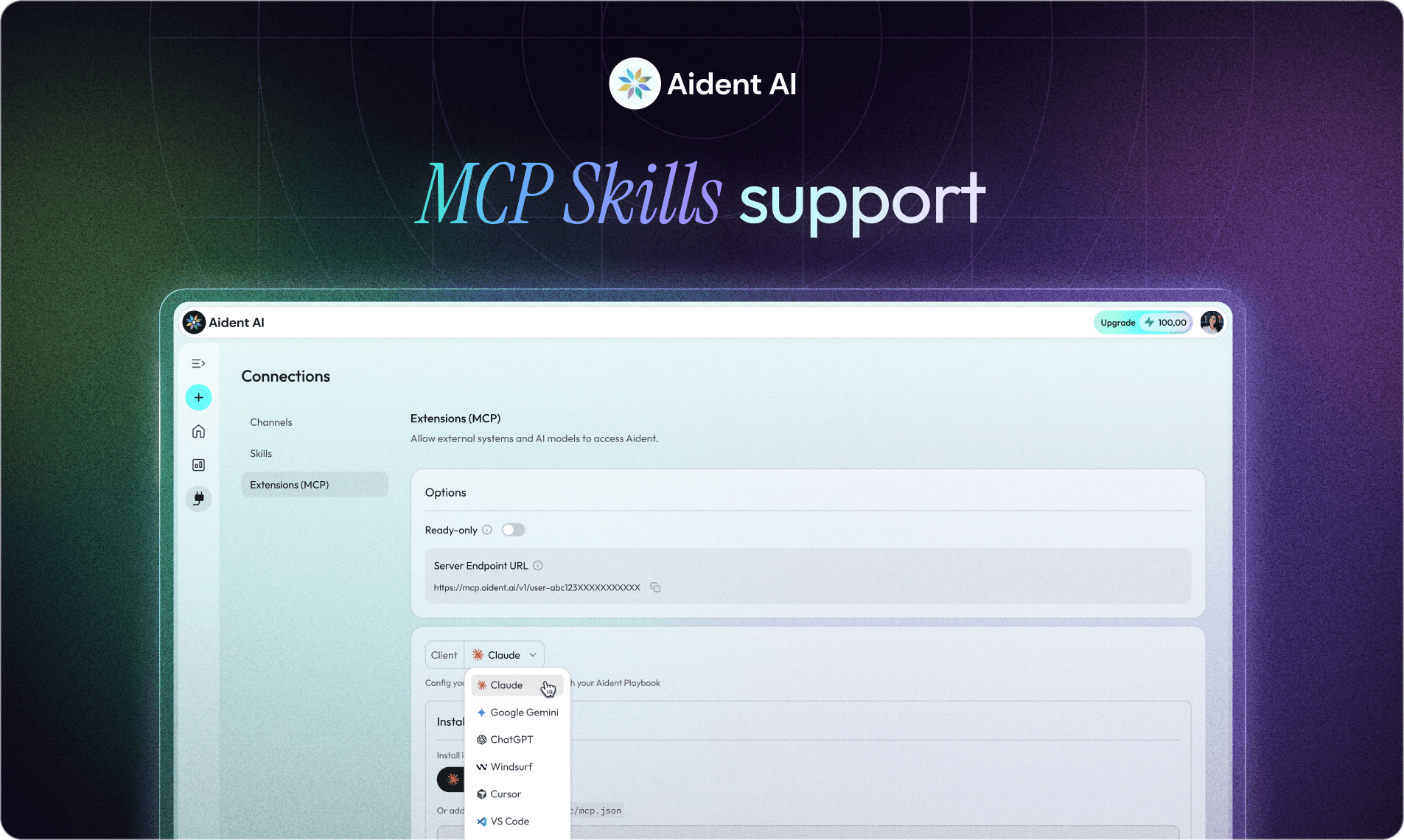
MCP Skills: The Bridge Between AI That Thinks and AI That Runs

MCP Skills: The Bridge Between AI That Thinks and AI That Runs

Henry Wang

AI Is Great at Thinking. Not Always at Doing.

You ask an AI assistant to plan a campaign, summarize a document, or analyze competitors. It responds instantly with a polished answer. The reasoning is impressive, the ideas are solid, and everything looks ready to go.

But then the real work begins. You still have to open different tools, copy the results, trigger workflows, send messages, update spreadsheets, schedule meetings, and monitor whether anything actually ran. What felt like a completed task quickly turns into a series of manual steps across multiple apps.

AI handled the thinking, but you still handled the execution. That gap between reasoning and real-world action is where most AI workflows break—and it’s exactly the problem MCP (Model Context Protocol) is designed to solve.

What Is MCP? (In Plain English)

For non-technical users, the easiest way to understand MCP is this: it’s a standard that allows AI models to use external tools and skills safely and reliably. Instead of AI simply chatting or generating text, MCP enables it to call tools that actually perform actions, like checking your calendar, sending a Slack message, updating a CRM record, running a workflow, or generating and storing reports.

In other words, AI doesn’t just suggest what should happen—it can trigger the systems that make it happen. The model can reason about a task and then invoke the right capability to execute it.

A helpful way to think about MCP is like a USB port for AI tools. Just as a laptop can connect to many devices through a universal port, MCP allows AI models to connect to many tools through a shared interface. This is what allows AI to move from talking about tasks to actually executing them.

The Real Problem: AI Needs Hands and Feet

Modern LLMs like Claude or GPT are incredibly powerful at reasoning. They can analyze information, plan complex workflows, and break down multi-step problems in seconds. But they still lack something critical: reliable execution infrastructure.

An AI agent might understand a request like, “Research this competitor, summarize their pricing changes, update our sheet, and notify the team.” The reasoning is straightforward. But actually carrying out the task across real tools and systems is much harder.

Execution requires multiple capabilities working together: browsing the web, extracting relevant information, writing structured data, updating tools like spreadsheets or databases, and sending notifications to the right place. This is exactly where Skills come in; they give AI agents the concrete abilities needed to turn plans into real actions.

What Are Skills?

Skills are reusable capabilities that AI agents can call when they need to perform a specific task.

Examples of skills:

  • research a URL

  • update a Notion database

  • send a Slack summary

  • generate a report

  • run a marketing playbook

Instead of rebuilding these workflows every time, they become reusable building blocks.

And through MCP, AI models can call those skills whenever needed.

Introducing MCP Skills in Aident

With Aident MCP Skills, your workflows become callable tools that AI agents can execute.

Instead of just generating instructions, your AI can run the actual automation.

This means you can:

  • Use Aident as skills inside AI agents

  • Connect AI reasoning to real-world execution

  • Reuse workflows across multiple tools

In short:

Aident becomes the execution layer for AI.

This is a core part of the shift from “AI you build” to “AI that actually runs with you.”

How It Works

  1. Use Aident as Skills Inside AI Agents

You can call Aident workflows directly from tools like Claude, Cursor, or any other MCP-compatible agent. This means the AI agent doesn’t just generate instructions—it can invoke a real workflow that performs the task.

For example, inside Claude you could write: “Research this competitor website and generate a report using my Aident skill.” Claude understands the request and decides to call the appropriate skill.

At that point, Aident runs the workflow: handling the research, processing the data, and generating the report. The final result is then returned directly into the conversation. No manual execution, no switching tools, and no extra steps.

  1. Use Aident as the Hands and Feet for AI

Think of it like this:

  • Claude / Cursor → the brain

  • Aident → the hands and feet

The AI plans the task.

Aident executes it across:

  • APIs

  • SaaS tools

  • databases

  • messaging platforms

Because Aident connects to 1000+ integrations and 22,000+ actions, AI agents can operate across the real world of tools and data.

A Simple Example

Imagine you’re analyzing competitors. You ask your AI agent: “Check this competitor’s website and summarize any pricing updates.”

Behind the scenes, the agent can call an Aident skill that runs a full workflow: it visits the website, extracts product and pricing information, compares it with previous records, generates a report, updates your tracking sheet, and sends a summary to Slack.

All of this is triggered from a single prompt. No tab switching, no manual steps—just execution.

Skills + Triggers + Monitoring

MCP skills become even more powerful when combined with the rest of the Aident system. Your workflows can trigger automatically from places where work already happens, like Slack, Telegram, WhatsApp, or other events across connected apps.

Once triggered, those workflows run reliably using production-ready automations. And because everything is monitored through Aident’s live dashboard, you can always see what’s happening—execution status, running steps, and any actions waiting for approval.

Together, this gives teams three things most AI systems still lack: speed, because workflows can be built and executed faster; visibility, because you can see what agents are doing in real time; and control, because you can step in and approve actions when it matters. These ideas—speed, transparency, and controllability—are core principles behind the Aident Beta 2 platform.

Why MCP Matters for the Future of AI

The future of AI won’t just be chatbots. It will be networks of agents executing real work across marketing workflows, sales pipelines, customer support triage, research automation, and operations monitoring. In that world, AI systems need three core capabilities: reasoning, access to tools, and reliable execution. MCP provides the standard for tool access, while Aident provides the execution layer. Together, they transform AI from something that simply suggests work into something that can actually run it. This reflects the broader shift toward AI that doesn’t just assist but actively operates within real workflows.

The Next Step: AI That Runs With You

The biggest shift happening in AI right now isn’t better prompts.

It’s moving from creation → execution.

From:

“AI that helps you think”

To:

“AI that helps you run operations.”

With MCP Skills, Aident becomes the bridge between AI agents and real-world workflows.

Your AI can reason.

Your automations can execute.

And everything runs together—inside the tools you already use.

Automate the "Write" Way

Automate the "Write" Way

Our Aident Playbook Editor (APE) turns plain English instructions into smart and reliable automations.

No coding, no complicated setups—just describe your task, and watch your tools and AI agents work seamlessly together.

Our Aident Playbook Editor (APE) turns plain English instructions into smart and reliable automations. No coding, no complicated setups—just describe your task, and watch your tools and AI agents work seamlessly together.

Our Aident Playbook Editor (APE) turns plain English instructions into

smart and reliable automations. No coding, no complicated setups—

just describe your task, and watch your tools and AI agents work seamlessly together.

Turn search trends into SEO-ready blog posts.

Turn search trends into SEO-ready blog posts.

Turn search trends into SEO-ready blog posts.

Trend-Driven Blog Maker

Trend-Driven Blog Maker

Trend-Driven Blog Maker

Track post data and flag top performers instantly.

Track post data and flag top performers instantly.

Track post data and flag top performers instantly.

Social Insight Collector

Social Insight Collector

Social Insight Collector

Refresh old hits into new, high-performing formats.

Refresh old hits into new, high-performing formats.

Refresh old hits into new, high-performing formats.

Evergreen Content Recycler

Evergreen Content Recycler

Evergreen Content Recycler

Auto-create and schedule Visuals from trending topics.

Auto-create and schedule Visuals from trending topics.

Auto-create and schedule Visuals from trending topics.

Auto Social Post Designer

Auto Social Post Designer

Auto Social Post Designer

Auto-launch and optimize ads across all platforms.

Auto-launch and optimize ads across all platforms.

Auto-launch and optimize ads across all platforms.

Smart Ads Pilot

Smart Ads Pilot

Smart Ads Pilot

Post trending content, on-brand and on time.

Post trending content, on-brand and on time.

Post trending content, on-brand and on time.

Social Media Auto Poster

Social Media Auto Poster

Social Media Auto Poster

Subscribe to Know More

Subscribe to Know More